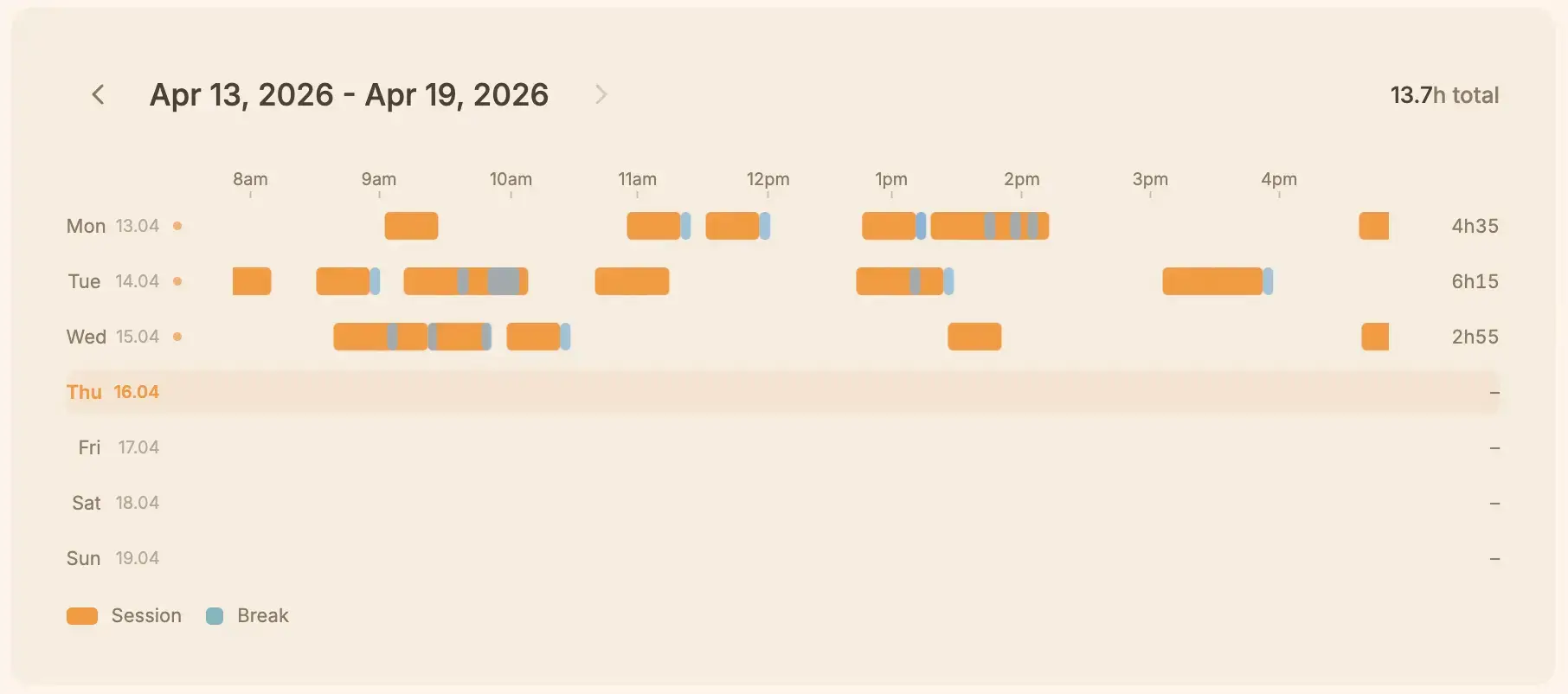
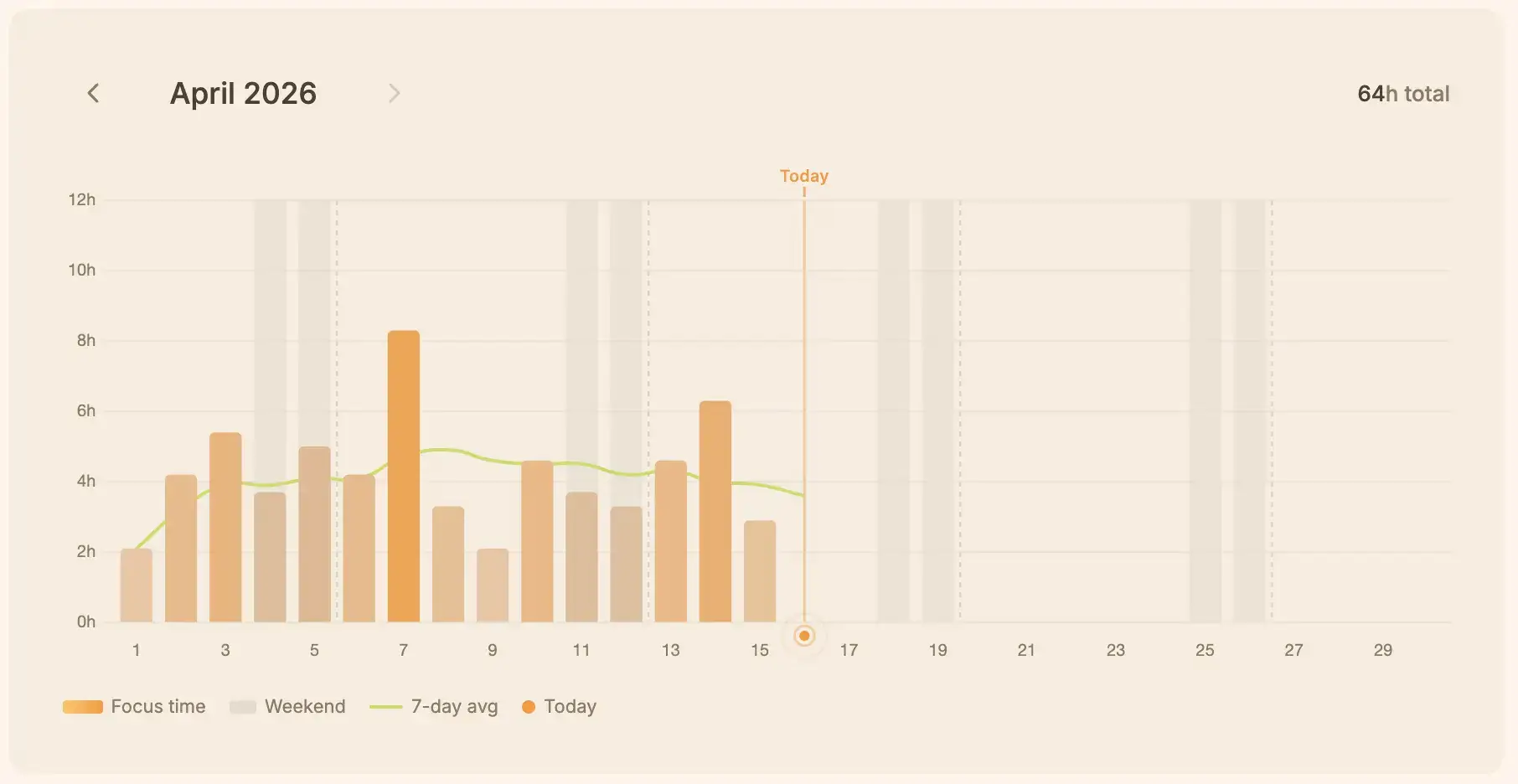
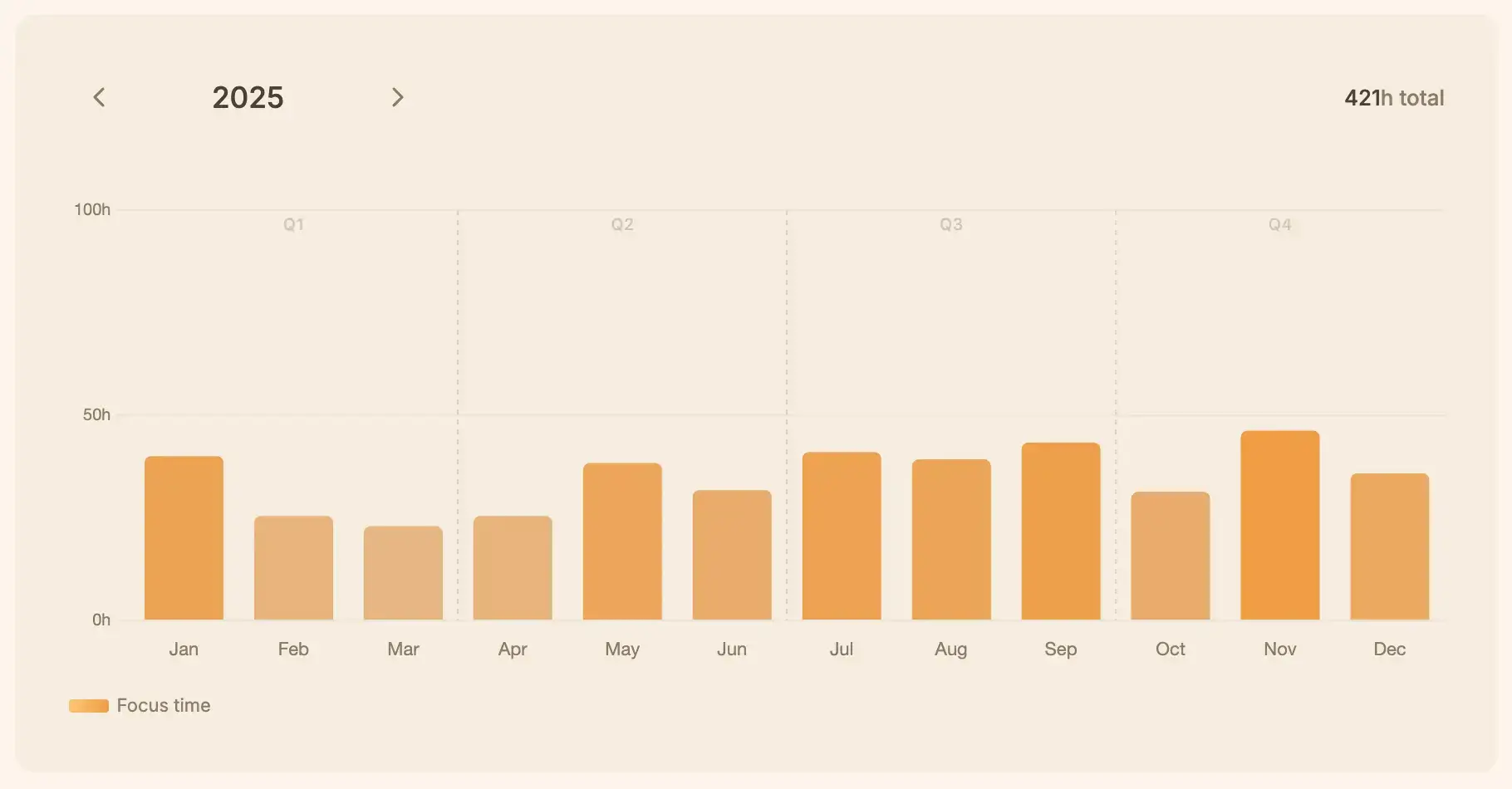
Insightful Local Stats
Track your progress with beautiful, locally-generated dashboards. See your focus trends without ever uploading your habits to the cloud.
Pomodoro Timer for Chrome
Focus without the fuss.
No account. No cloud. No subscription. Just a timer that works.
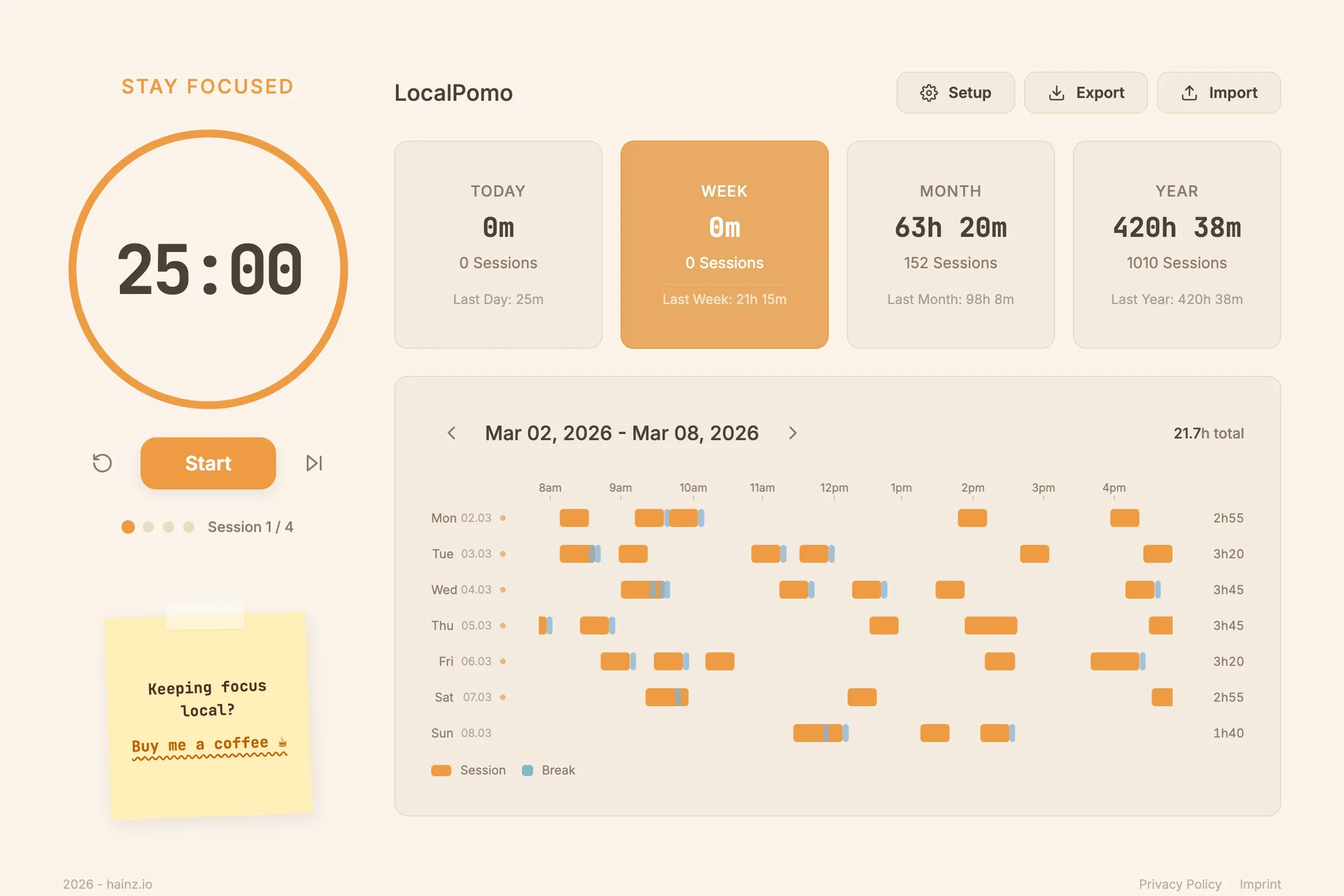
Getting Started
Start from this page with a single click. It's free forever.
Confirm the installation in the Chrome Web Store mock.
Access your timer instantly from your browser's extension bar.
No accounts. No cloud. Just hit start and get to work.
What's inside
Track your progress with beautiful, locally-generated dashboards. See your focus trends without ever uploading your habits to the cloud.
Your data, your rules. Export your complete history in a portable XML format anytime. No vendor lock-in, ever.
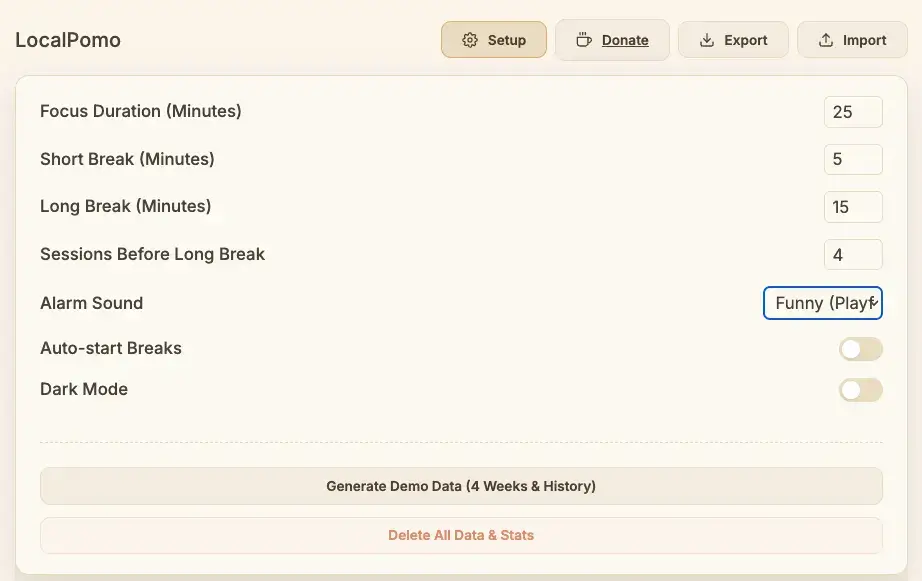
Install it, open it, start working. No sign-up, no login, no cloud-sync lag. Productivity at the speed of local.
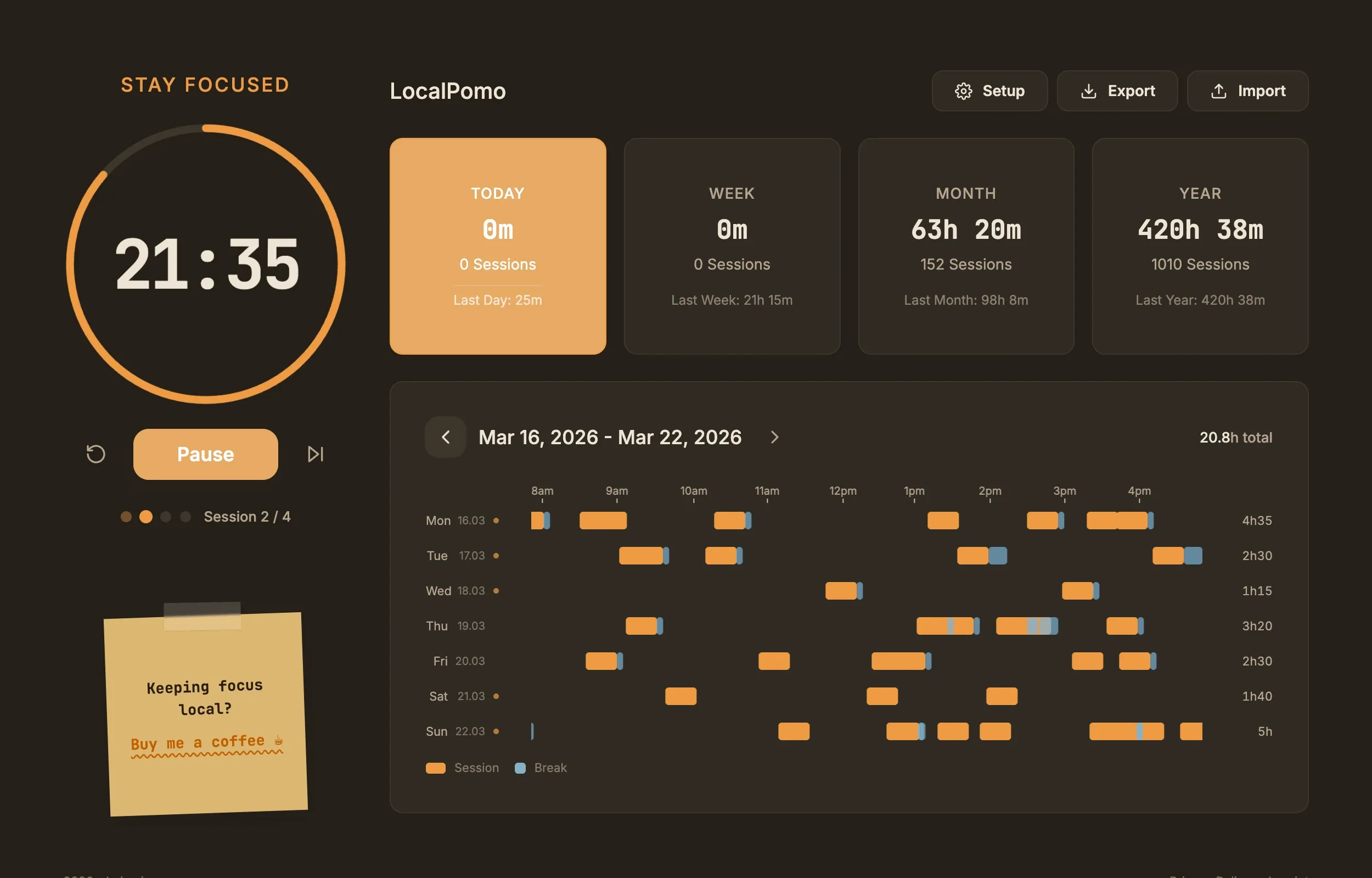
LocalPomo runs entirely on your machine. No accounts, no servers, and zero data leakage. Your productivity is yours alone.
A quick note from the developer
Two weeks of vacation. I came back, opened my Pomodoro app, and everything was gone. My stats, my streaks, my focus history. All wiped. Turns out there was an update while I was away. They introduced a paywall and moved everything behind an account system.
No account, no data. To be fair, I probably should have backed everything up. But I never thought a simple timer app would pull something like that. Then came the popup:
"Sign up to save your data."
"Upgrade to Premium."
I just closed it and never opened it again. So I built my own. No account, no subscription, no servers. Everything stays on your device. Forever. Whether you take two weeks off or two years, your data will be there when you come back.
The timer itself was done in a weekend. The chart ate weeks.
It started simple, just bars showing focus time per day. But then I wanted a weekly timeline where you can see exactly when each session happened. Not rounded to the hour, but positioned precisely on a continuous time axis. A session that starts at 10:15 should appear at 10:15.
That meant rebuilding the chart three times. Then I wanted the rows to snap back when you stop hovering. Simple enough until I realized CSS keyframes felt too mechanical. I honestly had no idea how to make it feel right, so I asked Claude for help and we ended up writing real spring physics with requestAnimationFrame. Mass, stiffness, damping.
const spring = {
  mass: 1.2,
  stiffness: 140,
  damping: 18,
  precision: 0.001
};

function animate(t) {
  const force = -spring.stiffness * (pos - target);
  const dForce = -spring.damping * velocity;
  const accel = (force + dForce) / spring.mass;

  velocity += accel * dt;
  pos += velocity * dt;

  renderChart(pos); // Smooth snap-back
  if (Math.abs(velocity) > spring.precision) {
    requestAnimationFrame(animate);
  }
}
Because apparently "feels like a rubber band" is not a CSS property. Then the tooltips broke. Turns out my pulse animation was overwriting Chart.js's internal state on every frame. Took me way too long to figure that one out.
Small things. But each one took way longer than it should have.
I built this because I was frustrated. I wanted something that just works, offline, without asking me to create an account. If you've felt the same way, give it a try.
It's free. It always will be.
P.S. I'm still refining the dashboard. If you have ideas or feedback, the GitHub repo is always open for suggestions.
FAQ
Yes. All features are available at no cost. There is no free tier with locked features. The Supporter option exists for people who want to contribute: it does not unlock anything extra.
In chrome.storage.local on your device. This storage is isolated to the extension and never synced to Google's servers unless you explicitly enable Chrome Sync, which LocalPomo does not use.
Completely. The extension has no network requests at runtime. It works on airplanes, in network-restricted environments, and anywhere else a browser runs.
Yes. The extension includes an XML export that gives you all session data in a portable format: which means you own your data and can take it wherever you need.
The tabs permission is used only to show a desktop notification when a session ends, so the alert appears even when the popup is closed. No tab URLs, contents, or browsing history are accessed.
Not yet. LocalPomo is currently a Chrome extension. A Firefox version is on the roadmap. Safari support requires a separate conversion process and is not planned for the near term.